Beautiful Photo Editor & Frame
- 4.6
- Rating
- 100.00K
- Installs
- Free
- Price

 Analysis by App-foxy
I tried Beautiful Photo Editor & Frame as a lightweight beauty app for turning ordinary pictures into more decorative, nature-themed images. Its focus is clear: add a frame, place stickers, and change the mood with filters rather than provide a full professional editing studio. That narrow purpose is useful when I want a quick result for a profile picture, a greeting image, or a casual post without spending time learning a complicated editor.
The app comes from Photo Editors & Games and sits in the Beauty category. It is free to use, which makes the decision fairly simple: there is no purchase price to weigh against its tools. The more important question is whether its ready-made visual style suits the way you edit photos. In my experience, it works best when I treat it as a finishing tool for attractive compositions, not as a replacement for an advanced photo editor.
How the free editing experience feels
The basic workflow is approachable. I start with a picture, choose a frame or visual treatment, and then adjust the presentation with decorative elements such as stickers and filters. That sequence feels more like assembling a small card than correcting a photograph pixel by pixel. For someone who wants a finished image quickly, this is a welcome difference from editors filled with sliders, layers, curves, and technical controls.
You May Also Like

 Blood Strike: 2.5 Anniversary
Blood Strike’s Loadouts Turn Every Drop Into a Tactical Gamble
A close look at Blood Strike’s custom loadouts: how fast access to signature weapons reshapes its battle royale rhythm, rewards preparation, and narrows the gap between fights.

 Pandora - Music & Podcasts
Pandora’s Music Is Easy to Start, but Harder to Recover
Pandora’s strength is its low-effort path from a seed to a station. Its weak spot is how much confidence it asks you to place in connection, setup, and quiet recovery.

 8 Ball Pool
 Is Built on Rivalries, Rematches, and Routine
A close look at the rivalries, rematches, shared routines, and unanswered safety questions that turn a quick pool match into a persistent mobile community.

 Samsung Music
’s Quiet Strength Is Playing What You Already Own
Its reach comes less from spectacle than from dependable access to a personal library. That simplicity is both the app’s strongest retention engine and its ceiling.

 AccuWeather: Weather Radar
AccuWeather Review: A Quick, Clear Forecast for Everyday Decisions
For everyday plans, the best forecast is the one you can understand quickly. AccuWeather makes rain timing, radar, and local conditions easy to act on, with a few trade-offs.

 Hill Climb Racing
Why Hill Climb Racing Still Turns Crashes Into One More Run
A tiny car, a bumpy hill and one more upgrade: Hill Climb Racing keeps resurfacing because its simple chaos makes every near-miss feel personal.
More From Our News Desk



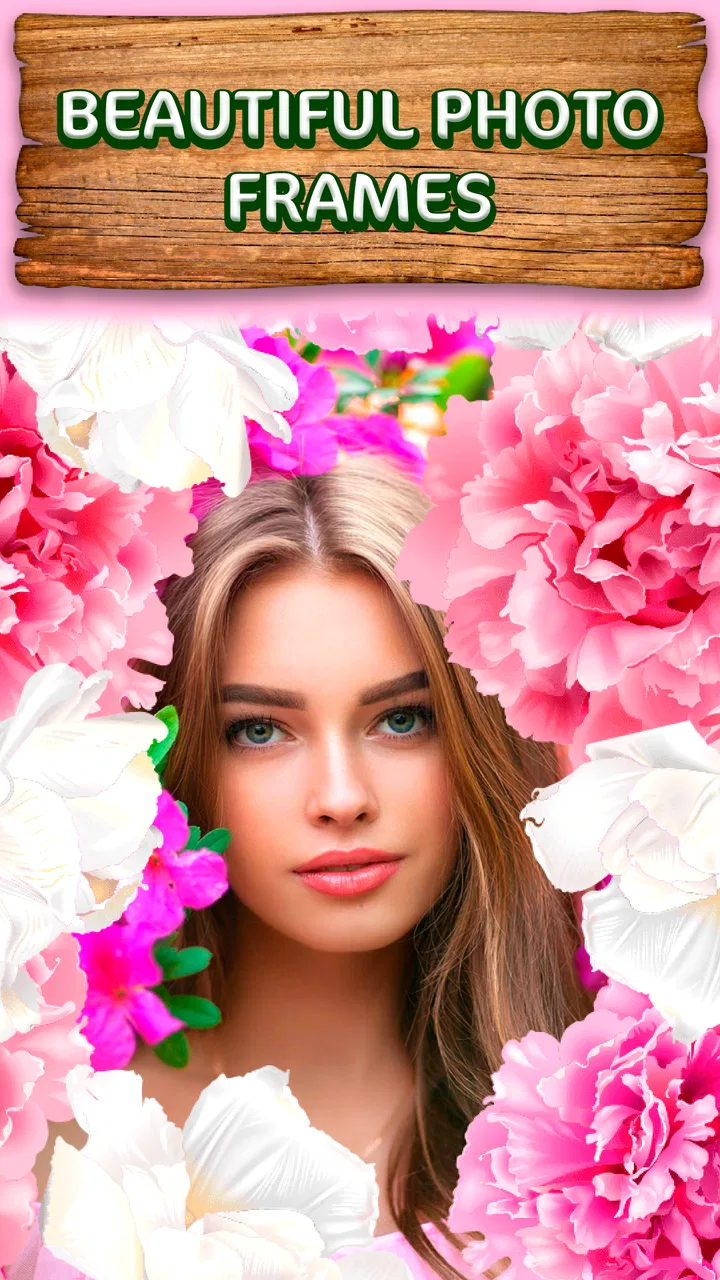
The nature-oriented frame selection gives the app its identity. Floral, leafy, and outdoor-inspired decoration can make a simple portrait feel warmer without requiring much manual work. I found that the strongest results came from photos with a clear subject and some empty space around it. When the original image is already crowded, adding a detailed border and several stickers can make the result look busy instead of polished.
The most useful habit is to edit for balance, not for quantity. I usually choose the frame first, then check whether the subject still has enough visual breathing room. Only after that do I consider a sticker or filter. This order prevents the common mistake of covering important facial details or creating a composition where every corner competes for attention.
What the frames are good at
Frames are particularly effective for pictures that need a clear theme. A family snapshot can become a seasonal keepsake, while a close-up portrait can take on a softer beauty-focused look. The frame also helps an image feel complete when the original crop is plain or slightly awkward. Rather than trying to repair every weakness in the photo, I use the border to guide the viewer’s attention toward the center.
There is a practical trade-off here. A decorative frame can hide a distracting edge, but it cannot fix poor focus, harsh lighting, or an unflattering angle. If the source picture needs serious correction, I would first use a conventional editor with stronger adjustment controls, then bring the improved image into this app for decoration. That two-step workflow is slower, but it produces a more controlled result than expecting a frame to solve everything.
Using stickers without losing the subject
Stickers are most helpful when they support the photo’s message. For example, a small botanical accent can reinforce a garden picture, while a subtle decorative mark can make a birthday or friendship image feel more personal. I prefer placing one main sticker near an empty area rather than scattering several around the subject. This keeps the image readable on a small phone screen.
A useful trick is to preview the composition at a reduced size before saving it. Details that look charming when the image fills the display can become visual noise when the picture appears as a small social-media thumbnail. If the face, eyes, or main object is no longer the first thing I notice, I remove an element instead of adding another filter.
This is also where the app’s simplicity can feel limiting. A user looking for precise sticker rotation, detailed opacity control, or complex layer management may prefer a more advanced alternative. Beautiful Photo Editor & Frame is better suited to quick decoration than to designing a carefully engineered poster.
Filters and the right starting image
Filters are useful for unifying the photo with the chosen frame. A warm-looking frame can clash with a cool, strongly tinted image, so I normally test a few filter styles before settling on one. The goal is not necessarily to make the picture dramatic; often the best result is the filter that slightly improves the mood while leaving skin tones and important details recognizable.
For portraits, I would avoid applying a heavy effect before choosing the border. Strong color changes can make it harder to judge whether the frame complements the photograph. For scenery, food, or a still-life image, I have more freedom because the subject does not depend as much on natural skin color. This makes the app more versatile than its Beauty category might initially suggest, although portraits remain its most obvious use.
Another practical point is consistency. If I am preparing several images for the same event, I choose one frame family and keep the filter treatment similar across the set. That creates a coherent album without requiring professional batch-editing tools. The app is not a full production workflow, but it can still support a small, repeatable routine when the visual style is simple.
Where it delivers value and where it falls short
Because the app is free, its value comes from convenience rather than savings on a paid editing package. I can try the frame-and-filter approach without committing money, which is helpful for occasional users who only need a decorative image now and then. Someone preparing a single invitation picture or a quick profile update may get exactly what they need from that low-friction approach.
The app also has a clear audience among people who prefer guided creativity. Instead of staring at a blank canvas and deciding how to build a design, I can begin with a nature-inspired visual direction and make small choices from there. That reduces decision fatigue. The result may not be uniquely artistic in the way a custom composition is, but it can look finished with much less effort.
Its public reception suggests that many users find the concept appealing: the app has a 4.6 average from around 483 ratings and has passed 100K installs. I read those figures as a sign of practical interest, not proof that every editing need is covered. A high average can coexist with limitations for users who expect advanced retouching, extensive customization, or a larger design toolkit.
The Teen content rating is also relevant when deciding who should use it. Parents and younger users should consider that rating alongside their own preferences before installing any beauty-focused photo tool. For an adult looking for casual photo decoration, the rating does not change the central experience: this remains a simple creative editor rather than a professional photography suite.
A realistic everyday workflow
Imagine I take a quick portrait before meeting friends and want to share it in a group chat. The lighting is acceptable, but the picture feels plain. I can select the photo, test a nature frame, apply a restrained filter, and add one small sticker near an empty corner. The whole idea is to create a friendly, finished image without opening a desktop editor or spending several minutes adjusting technical settings.
For a more demanding situation, such as preparing a product image for a small online shop, I would use a different workflow. Product photos often need accurate color, clean edges, consistent cropping, and careful control over the background. A decorative frame may distract from the item or make the image look less trustworthy. In that case, a dedicated product-photo or professional editing app would be the better choice, even though this app is quicker.
The same distinction applies to beauty retouching. If I only want a pleasing filter and a decorative border, this app is a convenient option. If I want detailed skin correction, facial reshaping, blemish removal, or precise lighting adjustments, I would look for an editor built specifically around those controls. The category label alone should not lead anyone to expect a complete retouching workstation.
Compatibility and practical expectations
The app supports Android devices running version 5.1 or later, so its stated system requirement is friendly to many older phones. That makes it a reasonable candidate for users who do not have a recent device and want a straightforward photo tool. Still, the experience can vary with screen size, storage, and general device performance, so I would keep expectations focused on simple edits rather than demanding professional production.
It was released on Jul 1, 2024, which places it among relatively recent additions to this type of app. The developer is listed as Photo Editors & Games, a name that reflects the broader casual-editing approach. I would approach it as a focused utility from that developer rather than assume it shares the depth or workflow of established professional photo software.
The free price is its clearest advantage for experimentation. I can install it, test whether the nature frames match my taste, and decide based on actual results instead of paying upfront. That is especially valuable for occasional users. At the same time, free access does not automatically make it the best value for everyone: a user who needs precision may spend more time working around its simpler design than they would in a paid or more advanced alternative.
Who will enjoy it most
I would recommend it to casual portrait editors, people making decorative greeting images, and anyone who likes floral or outdoor-inspired visual themes. It is also a good fit for users who want a quick result and do not enjoy navigating a professional editor. The combination of frames, stickers, and filters gives enough creative direction for a small personal project without turning the process into a technical lesson.
It can be useful for parents or friends creating a small memory image, provided the content rating fits the intended user. It also suits someone who wants to refresh a profile picture with a softer presentation rather than perform a dramatic transformation. The app’s strength is its ability to add character to an otherwise ordinary photo with a few deliberate choices.
I would skip it if my priority were exact retouching, advanced color correction, typography, collage engineering, or professional consistency across a large image set. I would also choose another tool if I dislike decorative templates and prefer to build every visual element from scratch. The more control I need, the less attractive this app’s quick, guided approach becomes.
My final recommendation
Beautiful Photo Editor & Frame earns a place as a simple free option for nature-themed photo decoration. I like the fact that its purpose is easy to understand: choose a picture, shape its mood with a filter, and finish it with a frame or sticker. That makes it approachable for everyday sharing and small personal projects.
My recommendation comes with a clear condition: use it for presentation, not repair. Start with a reasonably good photo, keep decorative elements restrained, and judge the final image at the size where people will actually see it. If you follow that approach, the app can deliver attractive results with very little effort.
For me, the free access makes it worth trying, especially for users who want a quick beauty-themed frame rather than a complete editing suite. I would install it for casual portraits, seasonal memories, and friendly social images. I would not make it my only photo editor, because more demanding work calls for stronger controls and a less template-led workflow.
In short, this is a focused choice with a sensible audience. Its value is not in replacing every alternative; it is in making a small, decorative edit feel easy. If that is the job you need done, the free, nature-inspired approach is the app’s strongest reason to keep it installed.
FAQs for Beautiful Photo Editor & Frame
01What features does Beautiful Photo Editor & Frame offer?
Beautiful Photo Editor & Frame provides a comprehensive suite of editing tools including filters, cropping, and adjustments for brightness, contrast, and saturation. It also offers a variety of stylish frames and templates to enhance your photos, making it ideal for both casual edits and more creative projects.
02Is Beautiful Photo Editor & Frame user-friendly for beginners?
Yes, Beautiful Photo Editor & Frame is designed with an intuitive interface that caters to users of all skill levels. Beginners will find the layout straightforward, with easy-to-navigate menus and helpful tutorials. Advanced users can explore more complex features to refine their editing skills.
03Does the app support high-resolution photo editing?
Absolutely. Beautiful Photo Editor & Frame supports high-resolution photo editing, ensuring that your images maintain quality even after extensive editing. This makes it perfect for users who want to print their edited photos or use them in professional portfolios.
04Are there in-app purchases or subscriptions involved?
While Beautiful Photo Editor & Frame is free to download, it does offer in-app purchases for premium features. These may include additional filters, frames, and tools. Users can also opt for a subscription model that provides unlimited access to all the app’s premium content.
05What platforms is Beautiful Photo Editor & Frame available on?
Beautiful Photo Editor & Frame is available for both Android and iOS devices. Users can download the app from the Google Play Store or Apple App Store, ensuring compatibility with a wide range of smartphones and tablets. Regular updates ensure ongoing support and new features.
Pros
- User-friendly interface simplifies photo editing.
- Variety of frames to enhance creativity.
- Offers advanced editing tools for precision.
- Supports high-resolution image exports.
- Regular updates with new features and frames.
Cons
- Contains ads that can disrupt workflow.
- Some features locked behind paywall.
- Limited free filters compared to competitors.
- Occasional crashes on older devices.
- Requires internet for full functionality.

Beautiful Photo Editor & Frame
Gallery